
Table of Contents
Setting up a nayatel static ip configuration for gaming is the best way to stop lag. It boosts your speed fast. Lag ruins matches and makes players mad. If you run a local gaming zone or want a great home setup, you need a stable network. This setup stops random drops. It gives you a permanent address on the web. This makes matchmaking much faster.
What is a Static IP and Why Do You Need It?
An IP address is like your home address. Most plans use a dynamic IP. This changes every time your router restarts. That is fine for normal web browsing. But it causes big lag spikes in games. A static IP never changes. Setting up a nayatel static ip configuration for gaming helps servers find your device fast. It stops constant searching and reconnecting. A static IP keeps your connection stable and reliable.
Why Gaming Zones Need Static IPs
If you own a small gaming cafe, you need good internet. Research from Statista shows that online gaming grows every year. More players mean you need better network control. When many PCs connect at once, a dynamic IP gets confused. A nayatel static ip configuration for gaming keeps each device stable. It lets you host local lobbies without crashes. Happy customers make your business succeed.
Step-by-Step Nayatel Static IP Configuration for Gaming
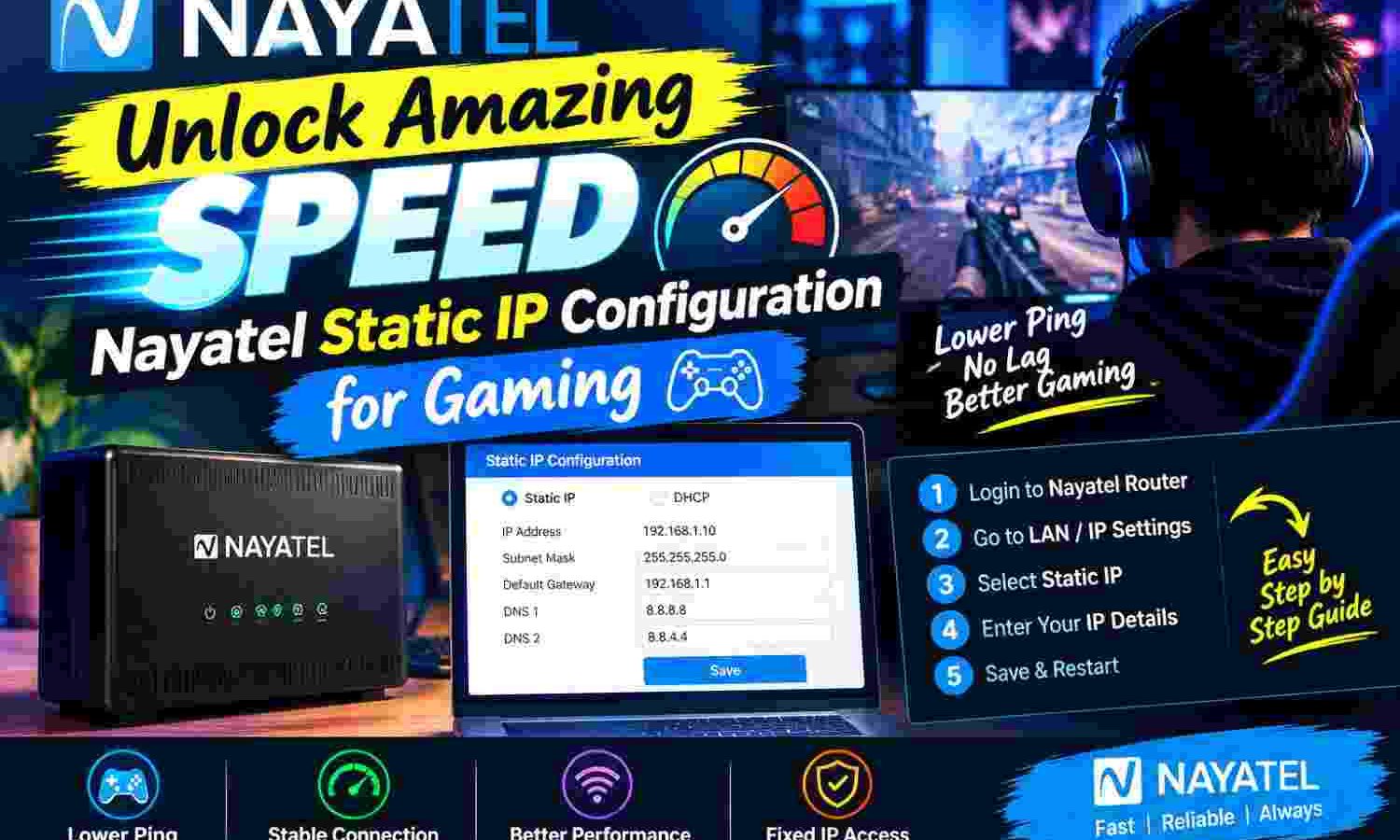
First, buy a static IP from Nayatel. They will email you your IP, subnet mask, gateway, and DNS. Once you have these details, follow these easy steps:
- Connect your PC to the router with a cable.
- Open your browser. Type your router IP (like 192.168.1.1).
- Enter the username and password from the router sticker.
- Find WAN settings under Network or Advanced.
- Change WAN type from DHCP to Static IP.
- Type the IP, subnet mask, and gateway from Nayatel.
- Enter the DNS details, then save and restart.
This basic nayatel static ip configuration for gaming gets your router online with a permanent address.
Configuring Your Specific Router Brand
Nayatel usually gives you ZTE or Huawei routers. On a ZTE router, go to Local Network, then LAN. Look for DHCP settings to give static IPs. For WAN, go to Internet, then WAN. Change your type to Static IP. On a Huawei ONT, go to the WAN tab. Click New, select Static IP, and type your details. This simple nayatel static ip configuration for gaming step makes setup easy.
Setting Up Your Gaming Console or PC
Next, give a static IP to your console or PC. Go to your console’s network settings. Choose manual setup. Type an IP that matches your router (like 192.168.1.50). Set the gateway as your router’s IP. This step makes sure your nayatel static ip configuration for gaming works well.
Port Forwarding: The Secret to Open NAT
Do you see a Strict NAT warning? A strict NAT stops you from joining friends. Port forwarding fixes this. It tells your router where to send data. Go to your router settings. Look for Port Forwarding or Virtual Server. Add a new rule. Type the ports your game needs. You can find port numbers on Wikipedia. Use this with a nayatel static ip configuration for gaming to get an Open NAT fast.
Popular Game Ports for Your Setup
Different games use different ports. For Call of Duty, open UDP ports 3074 and 27014. For GTA V, open TCP ports 80 and 443. Also open UDP ports 6672 and 61455 to 61458. Link these ports to your console’s IP. This completes your nayatel static ip configuration for gaming. Games will load much faster now.
Performance Comparison: Dynamic vs. Static IP
A nayatel static ip configuration for gaming helps you avoid network issues. It costs a small fee. But the boost is huge for homes and shops.
| Feature | Dynamic IP | Static IP (Nayatel) |
|---|---|---|
| IP Address Stability | Changes on router restart | Permanent and constant |
| NAT Type Status | Often Strict or Moderate | Mostly Open (with forwarding) |
| Server Hosting | Very difficult to host | Easy and reliable |
| Matchmaking Speed | Slow due to NAT limits | Very fast |
| Monthly Cost | Free with basic plan | Small extra monthly fee |
Solving Problems With Your Nayatel Static IP Configuration for Gaming
If you have problems, check your WAN status. One wrong digit can block your internet. Copy all details carefully during your nayatel static ip configuration for gaming setup.
Watch out for double NAT. This happens if you connect a second router. Set your second router to Bridge Mode. This lets the main Nayatel device do the work. It keeps your nayatel static ip configuration for gaming active.
Test your ports with free tools online. Do this while your game is running. If the game is shut, the port looks shut. Testing makes sure your nayatel static ip configuration for gaming works. If you still have issues, ask Nayatel support for help.
Securing Your Static IP Network
A static IP makes your network easy to find. You must secure your router. Change the default password now. Turn off remote management in settings. These steps keep your nayatel static ip configuration for gaming safe. Set your firewall to medium to block bad traffic.
Ping, Packet Loss, and DNS Settings
High ping causes lag. Packet loss drops your data. A dynamic IP path changes a lot. But a nayatel static ip configuration for gaming gives you a permanent path. Use Nayatel’s DNS or free public ones like Google. This keeps your connection fast.
Improving Your Business Operations
Running a gaming center is hard work. To make work easy, try AI tools. Read about how to unlock the amazing power of a ChatGPT AI assistant to boost your business. You can also look up what is better than ChatGPT for business. Use these tools with a nayatel static ip configuration for gaming to grow your business.
Frequently Asked Questions
How do I start a nayatel static ip configuration for gaming?
Ask Nayatel support to add a static IP to your plan. Then, type the IP, gateway, and DNS details into your router’s WAN settings. This completes the nayatel static ip configuration for gaming.
Does a nayatel static ip configuration for gaming reduce my ping?
A nayatel static ip configuration for gaming does not boost raw speed. But it gives you stable routing. This stops ping spikes and packet loss for a smooth game.
What is the difference between a dynamic and a static IP?
A dynamic IP changes all the time. A static IP stays the same. For hosting games, a static IP is much better.
Can I use port forwarding without a static IP?
Yes. But it stops working when your router restarts. A static IP keeps your rules active all the time.
Is a static IP safe for my home network?
Yes. Just change your router’s password and keep your firewall on.
Last updated: September 4, 2026
Written by Bilawal.
Have questions or ready to get started? Get in touch with our team.