
Table of Contents
Can ChatGPT Create Images for Your Business?
Stop wasting hours searching for stock photos. You can now make custom graphics in seconds. But you might wonder: can chatgpt create images that look professional?
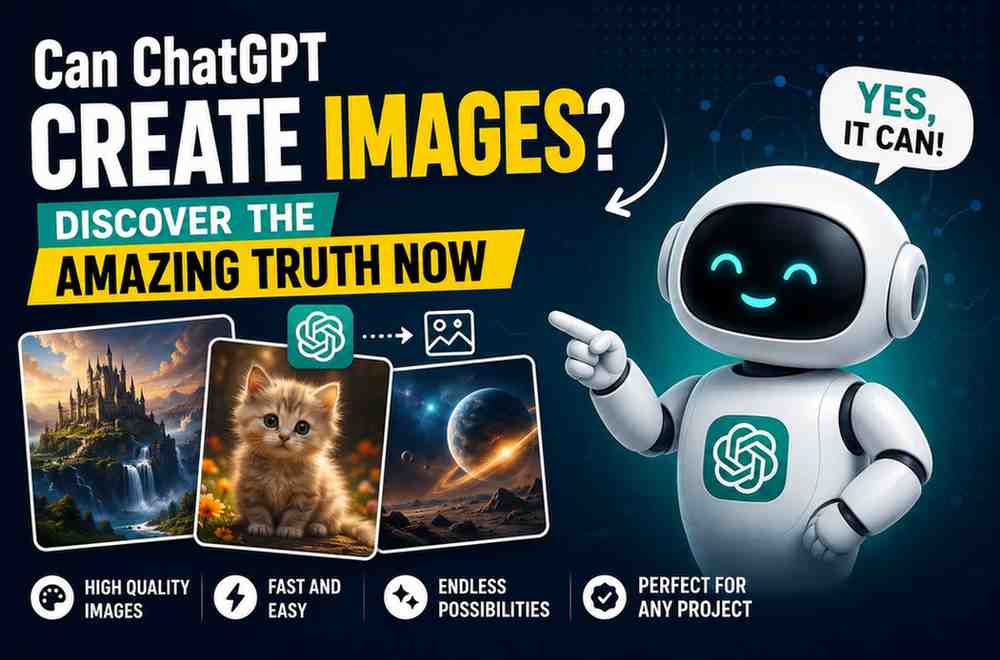
If you ask, can chatgpt create images for your brand, the answer is yes. ChatGPT uses a tool called DALL-E 3. It lets you design high-quality graphics by typing a simple description. This tool gives small businesses on a tight budget massive creative freedom.
At Nextgen, we help brands use these smart tools to save time. Let us explore how this tech works. We will show you how to boost your brand today. You can check out our web design and digital marketing services to learn more.
How Can ChatGPT Create Images for Your Business?
It helps to know how your tools work. When you ask, can chatgpt create images, the secret is a tool called DALL-E 3. This is an advanced artificial intelligence (AI) program. OpenAI built it.
This AI does not copy and paste old photos. It builds new visuals from scratch. It does this by studying millions of pictures. It learns what different words mean.
You type a prompt. ChatGPT turns it into a guide for DALL-E 3. A prompt is just a set of text instructions. The process feels like talking to a designer. You do not need to write code. Just type your ideas in plain English. The system gives you a custom graphic in seconds.
For example, a coffee shop owner can type: “Create a warm photo of a steaming latte on a wood table.” In seconds, the AI makes a beautiful image. It matches the description. This ease of use is why many owners ask how can chatgpt create images to save money. It cuts out the need for costly photoshoots.
Smart Ways to Use ChatGPT Images in Your Marketing
Visual content is key for online success. According to digital market statistics, posts with images get far more views. But hiring a photographer is costly. Buying stock photos also adds up. That is why learning how can chatgpt create images can change your marketing plan.
Here are a few smart ways to use these graphics in your daily work.
Social Media Posts
Social platforms like Instagram need fresh visuals daily. You can use ChatGPT to make unique backgrounds. You can also make seasonal graphics in your brand colors. If you need an image for a holiday sale, you do not have to wait for a designer.
Blog Article Headers
A great blog post needs a good header. Do not use the same boring stock photos as your rivals. Create a unique image instead. For example, if you write about time management, generate a stylized clock melting like sand.
Email Newsletters
Keep your readers active with custom visuals. A custom graphic breaks up long text. When planning a newsletter, you might ask: can chatgpt create images that fit your layout? Yes, you can set the aspect ratio. This is the ratio of width to height. Your graphics will fit perfectly.
Product Concept Mockups
Are you planning a new product? Use AI to see your ideas before you spend money on building them. For instance, a soap maker can make mockups of new boxes. This helps you choose a style with zero upfront cost.
The Secrets to Writing Great Image Prompts
To get great results, you must speak the AI’s language. If prompts are vague, the results will miss the mark. Let us look at some easy ways to write better prompts.
Many owners ask, can chatgpt create images that match their brand style? Yes, you can. Just list your brand colors and style in your prompt. This keeps your graphics consistent. Here are a few tips to write great prompts:
- Describe the main subject in detail. Mention textures and placement.
- Set the background. Use a sunny park or a clean studio.
- Choose an art style. Try watercolor, 3D render, or a realistic photo.
- Define the light. Use soft morning light or dark shadows.
- Name specific colors that match your brand.
Be Highly Specific
Do not just ask for “a dog.” Instead, ask for “a golden retriever on a sunny porch.” More details mean better results. Describe the subject, the background, and the mood.
Define the Art Style
AI can make images in many styles. You can ask for a photo, a line drawing, or a watercolor painting. If you want a clean look, ask for a “modern flat vector illustration.”
Control the Colors and Lighting
Color is huge for your brand. Tell ChatGPT which colors to use. For example, say: “Use soft blues and warm pinks.” You can also describe the light. Ask for “bright midday sun” or “soft studio lighting.” When testing if can chatgpt create images in your style, light makes a huge difference.
Comparing ChatGPT to Other AI Image Tools
ChatGPT is great, but other tools exist. It helps to see how it compares to Midjourney and Stable Diffusion. We made this simple table to help you choose.
| AI Generator | Best Use Case | Skill Level Required | Access Method |
|---|---|---|---|
| ChatGPT (DALL-E 3) | Business mockups & clean illustrations | Beginner (natural chat) | ChatGPT Plus subscription |
| Midjourney | Hyper-realistic & highly artistic photos | Intermediate (Discord prompts) | Midjourney subscription |
| Stable Diffusion | Advanced custom design & style control | Advanced (local install or web UI) | Free open-source or paid web tools |
Let us look at these differences. ChatGPT is great at understanding long prompts. It can read detailed guides better than other tools. If you want a complex scene, ChatGPT gets it right quickly.
Midjourney makes highly artistic photos. But it uses Discord, which can be hard for beginners. Stable Diffusion gives you absolute control, but it takes technical skill to set up.
Do you want to know if can chatgpt create images as easily as other apps? Yes, it is the most beginner-friendly tool you can find.
Who Owns the Images Created by ChatGPT?
Before you use AI graphics, you must know the legal rules. This is a big question for owners.
OpenAI says you own the images you make with ChatGPT. You can use them for commercial work. You can put them on products or use them in ads.
But the law is still catching up to AI. In many countries, only human art can get a copyright. You can use your AI images, but you might not be able to stop others from using them.
So, can chatgpt create images that you can trademark? The answer is no. For a business logo, you should still hire a human designer.
The Limits of ChatGPT Image Creation
AI is great, but it is not perfect. Knowing its limits will save you time. If you ask, can chatgpt create images with zero errors, the honest answer is no.
Here are the main issues you might face.
Struggles with Text
DALL-E 3 is getting better at text, but it still makes spelling mistakes. It might turn “Grand Opening” into “Grand Openning.” It is best to make your image without text. Then, add text later with a tool like Canva.
Anatomical Errors
AI struggles with human bodies. You might see hands with six fingers. You might see odd faces in the background. Always check your images before you post them.
Difficulty with Exact Consistency
It is hard to make the exact same character in different poses. ChatGPT makes a new image from scratch each time. Keeping faces and clothes the same is very tough.
Do you need to know if can chatgpt create images for complex stories or brand mascots? You will hit these limits fast. For these projects, you still need a human designer.
Why a Human Touch Still Matters in Design
AI is a great tool, but it cannot replace human strategy. Brand design is more than just pretty pictures. You must know your audience and your goals.
Many smart owners use a mixed path. They use AI to brainstorm and make rough ideas. Then, they work with pros to polish those ideas.
At Nextgen, we mix AI speed with human skill. This helps us offer great web design and digital marketing services. We do this at a fraction of the usual cost.
Are you still wondering if can chatgpt create images that fit your brand plan? Our team can guide you. Contact Nextgen today to get started.
Real-World Business Examples
Let us look at how three different small businesses successfully used AI images to save time and boost their marketing efforts.
The Local Fitness Studio
A gym wanted a summer promo. They needed a photo of a busy workout class. Instead of buying a stock photo, the owner used ChatGPT. They asked for a happy group of people working out in a bright gym. The image was unique and fit their brand.
The Artisanal Candle Maker
A shop selling candles wanted to test a new scent. Before making the candles, they made a mockup using ChatGPT. They put the image on Instagram to see if fans liked it.
The post got great feedback. The owner felt safe making the product. When friends asked how can chatgpt create images that look so real, the owner shared their prompt tips.
The Independent Real Estate Agent
An agent wrote a blog post on home staging. They needed neat visuals. They used ChatGPT to make photos of clean living rooms. This helped readers see the tips clearly.
These stories prove that when you ask, can chatgpt create images for your business, the answer is yes. You just need to find creative ways to use it.
How to Access ChatGPT Image Generation
Ready to make your own images? You need to know how to get the tool. Right now, image creation is part of ChatGPT Plus. This is the paid plan from OpenAI.
Once you subscribe, you do not need extra plugins. You just open a chat and describe what you want.
If you use the free version, you can still test the tech. OpenAI offers basic tools on other sites. But the full chat tool is only for Plus users.
Think of the cost as a small marketing investment. For the price of one stock photo, you get unlimited image creation for a whole month.
When you do the math, asking can chatgpt create images to save money is a smart business move.
Best Practices for Small Businesses Using AI Images
To keep your graphics professional, follow these simple rules.
First, check your image quality. Look at hands, text, and backgrounds for weird glitches.
Second, stay true to your brand style. Use the same colors and moods. This helps fans spot your posts quickly on social feeds.
Third, mix AI art with real photos. AI is great for mockups, but real photos of your team build true trust.
These tips ensure that when you ask, can chatgpt create images that look great, the answer is always yes. You will have a steady stream of custom visuals to boost your brand.
Frequently Asked Questions
Can ChatGPT create images for free?
No. DALL-E 3 is only in ChatGPT Plus, which is a paid monthly plan. But Microsoft Copilot uses the same tech for free. It has some limits, but it is a great place to start.
Can I use ChatGPT images on my commercial site?
Yes. OpenAI’s terms allow you to use them for ads, sites, and products. Just keep in mind that you cannot easily copyright them yet.
Can ChatGPT edit a photo I upload?
Yes. ChatGPT can look at your photos. You can ask the AI to describe them, suggest changes, or make a new image in a similar style. It is great for fast styling ideas.
Does ChatGPT support different sizes?
Yes. It makes square (1:1), wide (16:9), and tall (9:16) images. Just ask for your size in the prompt. This helps you make wide blog banners or tall mobile graphics. If you want to know if can chatgpt create images for any screen, this option is a big win.
Can ChatGPT create images of people without errors?
Not always. When asking if can chatgpt create images of people, look at hands and eyes. The AI still makes mistakes with fingers and faces in busy scenes. For perfect photos, human edits are still best.
Last updated: August 11, 2026
[Author Bio: Add author name, credentials, and relevant expertise here before publishing.]
Have questions or ready to get started? Get in touch with our team.