
Table of Contents
Unlock New Visuals for Your Brand Today
Small business owners constantly need fresh graphics to capture customer attention. If you want to save time and money, you might wonder: can chatgpt make images? The short answer is yes. ChatGPT has a built-in tool called DALL-E 3. It turns your plain text descriptions into high-quality pictures in seconds. This breakthrough tool allows you to create custom visuals without any design experience.
In this complete guide, we will explore how this tool works. We will show you how to write the best prompts. We will also share the limits of AI art. Understanding whether can chatgpt make images effectively can change how you market your business. Let us dive into the details so you can start creating stunning graphics today.
How Can ChatGPT Make Images for Small Businesses?
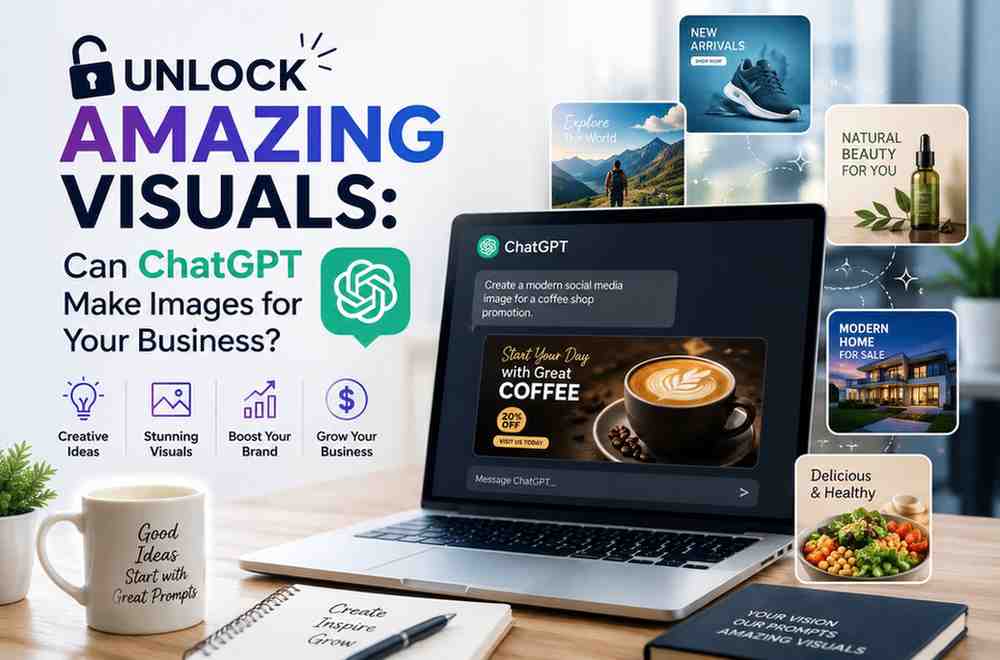
To understand how can chatgpt make images, you need to know about DALL-E 3. DALL-E 3 is an AI system made by OpenAI. This system converts text prompts into digital art. You do not need to open a separate app to use it. You simply type your request directly into the chat box.
For example, you can ask the chat to draw “a modern coffee cup on a wooden table with soft sunlight.” Within seconds, the AI will create that exact image for you. This integration makes the design process simple and fast. If you want to know how can chatgpt make images so quickly, it is because the AI has studied millions of pictures and their descriptions. It knows what a coffee cup looks like and how sunlight falls on wood.
This technology brings huge benefits to small businesses. You no longer have to search through generic stock photo sites for hours. Instead, you can create custom images that fit your exact needs. This saves you both time and money. You can focus your energy on running your business.
Practical Business Uses for ChatGPT Images
Many business owners ask: can chatgpt make images for professional use? The answer is yes, if you know how to use them. You can use these graphics across many different marketing channels. Here are some of the best ways to use AI images in your daily business tasks.
First, you can make unique social media graphics. Platforms like Instagram and Facebook require constant visual updates. You can ask ChatGPT to create bright, engaging images that match your brand colors. This keeps your feed fresh and engaging for your followers.
Second, you can create blog post banners. Good blog articles need eye-catching header images to get clicks. If you are wondering how can chatgpt make images that fit your blog topic, you just need to describe the theme of your article. For instance, a finance blog could use an image of a seedling growing out of a jar of coins.
Third, you can use these images to brainstorm product packaging or logo concepts. While the AI might not make the final print-ready file, it provides a great starting point. You can show these drafts to professional designers to explain your vision. This step saves hours of back-and-forth emails.
Fourth, you can create email newsletter headers. A colorful header can make your promotional emails look much more professional. When you realize how can chatgpt make images for your email campaigns, you will never go back to plain text emails again.
Step-by-Step Guide: Can ChatGPT Make Images for Your Team?
Now that you know can chatgpt make images, let us look at the exact steps to do it. The process is very straightforward. You do not need any coding skills or technical background. Follow these simple steps to start creating.
First, you must log into your OpenAI account. Note that image generation is a premium feature. You will need a ChatGPT Plus or Enterprise subscription to use DALL-E 3. Once you log in, start a new chat session.
Second, type a detailed description of the image you want. We call this description a prompt. A prompt is simply a text instruction you give to the AI. Do not just say “a cat.” Instead, say “a cute orange cat sitting on a blue office chair in a bright room.” The more details you provide, the better the final image will be.
Third, review the output. ChatGPT will show you the generated image in the chat window. If you like it, you can click the download button to save it to your computer.
Fourth, ask for edits if the image is not perfect. You can type follow-up instructions like “make the cat look at the camera” or “change the blue chair to yellow.” If you wonder can chatgpt make images with multiple changes, yes, it can. It remembers your previous requests and edits the existing image based on your feedback.
This editing feature is extremely powerful. It allows you to refine your visual assets until they are exactly what you need. It is like having a digital artist on call twenty-four hours a day.
Comparing Top AI Image Generators for Small Business
You might wonder if ChatGPT is the best tool for your business. Many other platforms also create AI art. To see how can chatgpt make images compared to other tools, we have put together a helpful comparison.
According to data from Statista, the use of AI tools in marketing has grown by over 250% in the last three years. Choosing the right tool depends on your budget, skills, and creative needs. Here is a simple comparison of ChatGPT and other popular image tools:
| Tool Name | Ease of Use | Best For | Cost Plan |
|---|---|---|---|
| ChatGPT (DALL-E 3) | Very Easy (Chat format) | Quick business graphics and blog headers | Paid Subscription |
| Midjourney | Hard (Requires Discord app) | Highly detailed and artistic images | Paid Subscription |
| Canva AI | Easy (Drag-and-drop tool) | Social media posts with templates | Free and Paid plans |
| Stable Diffusion | Very Hard (Technical setup) | Custom, self-hosted AI art projects | Free (Open source) |
This table shows that while Midjourney offers high detail, ChatGPT is much easier to use. If you want a quick way to create images without learning complex software, ChatGPT is the clear winner. Many business owners ask us, can chatgpt make images that look as good as professional stock photos? In many cases, the answer is yes.
Writing the Ultimate Prompt: Tips for Better Results
To get the best out of ChatGPT, you must write great prompts. Many users try the tool once, get a bad result, and ask: can chatgpt make images of high quality? The answer is yes, but the quality of the image depends on the quality of your prompt.
Here are some proven tips to write amazing image prompts:
- Be specific about the subject. Tell the AI exactly what should be in the photo.
- Describe the style. You can ask for a “realistic photo,” “vector illustration,” “flat design,” or “oil painting.”
- Mention the lighting. Words like “soft morning light,” “neon glow,” or “studio lighting” make a huge difference.
- Define the color palette. Ask for “pastel colors,” “bold warm colors,” or “black and white” to match your brand style.
- Avoid complex text. AI still struggles to write words inside images. It is best to add text later using an app like Canva.
Let us look at a real-world example. Instead of writing “a food photo,” you should write: “A professional, close-up food photograph of a fresh avocado salad in a white ceramic bowl, bright kitchen background, natural side lighting, realistic details.” When you see how can chatgpt make images with this prompt, you will notice a massive jump in quality.
Limitations and Rules You Must Keep in Mind
While the technology is amazing, it has some clear limits. Knowing how can chatgpt make images also means knowing what it cannot do. This knowledge protects your brand from looking unprofessional or getting into legal trouble.
One major issue is brand consistency. If you want to create a series of images with the exact same character or product, ChatGPT can struggle. It builds each image from scratch. This means the face or product shape might change slightly from one picture to the next.
Another limit is text rendering. Rendering is the process where the AI draws or creates the final image. If you ask the AI to draw a sign that says “Open Today,” it might spell the words wrong. It often outputs gibberish text. If you wonder can chatgpt make images with perfect logos, the answer is usually no. It is always best to leave text and logos out of your AI prompts.
There are also legal issues to consider. AI-generated images do not have copyright protection in many countries. This means competitors could copy your images, and you cannot stop them. Also, ensure your prompts do not copy famous copyrighted characters or artists’ unique styles.
If these limits feel overwhelming, you are not alone. Many small businesses find that managing AI tools takes too much time. That is where we can help. NextGen Web Studio helps small businesses build beautiful websites and branding. We combine the power of AI with human design expertise to create unique visual identities. We ensure your brand remains consistent, professional, and completely legal. Let us handle your creative assets while you focus on growing your business.
The Future of Business Design and AI
Technology is moving fast. Every month, AI tools become more powerful and easier to use. You might wonder, can chatgpt make images that will replace human designers completely in the future?
While AI will get better, human creativity is still essential. AI cannot understand your business goals, your local community, or your unique story. It is a powerful assistant, not a replacement.
Using AI as an assistant is the smartest path forward. You can use ChatGPT to brainstorm ideas, create rough drafts, and mock up concepts. Then, you can work with design experts to finalize your branding. This hybrid approach gives you the speed of AI and the quality of professional human design.
As you plan your marketing budget, keep these tools in mind. Learning how can chatgpt make images gives you a massive competitive advantage. It allows you to move faster, test new ideas quickly, and reduce your content creation costs.
Frequently Asked Questions
Can ChatGPT make images for free?
No, you generally cannot make images for free inside ChatGPT. Creating images requires DALL-E 3, which is only available on paid plans like ChatGPT Plus or Team. However, you can use Microsoft Copilot for free, which also uses DALL-E 3 technology to generate images.
Can I use ChatGPT images for commercial use?
Yes, you own the images you create with ChatGPT, and you can use them for commercial projects. This includes using them on your business website, social media, and printed marketing materials. However, keep in mind that you cannot easily copyright AI-generated art, meaning others could potentially copy it.
Can ChatGPT make images of real people?
ChatGPT cannot create images of real, famous people due to safety rules. If you ask for a picture of a specific celebrity, the tool will refuse the request. It can, however, create realistic images of fictional people based on your physical descriptions.
Can ChatGPT edit an existing photo I upload?
Yes, you can upload an image to ChatGPT and ask it to make changes. You can ask it to describe the image, add new elements, or modify the style. This makes it a great tool for editing existing mockups or changing the background of your product photos.
Can ChatGPT make images with text in them?
While ChatGPT can try to write text in images, it often makes spelling mistakes or draws weird letters. For professional work, it is best to generate the image without text, then use an editing tool to add your text on top.
Last updated: August 11, 2026
[Author Bio: Add author name, credentials, and relevant expertise here before publishing.]
Have questions or ready to get started? Get in touch with our team.