Table of Contents
Stop spending thousands of dollars on complex graphic design software that takes months to learn. With chatgpt photo editing, you can create and modify stunning visuals for your business in seconds. You do not need to be a tech genius or an artist to get amazing results. Today, customers want to see clean, bright, and professional images on your website. If your pictures look bad, people will leave your site and buy from someone else. That is why our team at Nextgen Web Studio wants to help you master this new tool. This guide will show you how to use AI to make your business look incredible online.
Why Visuals Matter for Your Business Growth
Every small business owner knows that good looks sell products. When people visit your website, they form an opinion in less than a second. If they see blurry or boring photos, they will not trust your brand. In fact, studies show that clear images can boost your sales by over thirty percent. This is because good photos make your business look established and safe.
But making these photos is hard. You might not have the budget to hire a professional photographer every week. You might not have the time to learn hard computer programs. This is where chatgpt photo editing changes the game for small businesses. It gives you the power of a full design team right inside your web browser. You can create banners, product shots, and social media posts with very little effort. Let us look at how you can start using this tool today.
What Exactly is ChatGPT Photo Editing?
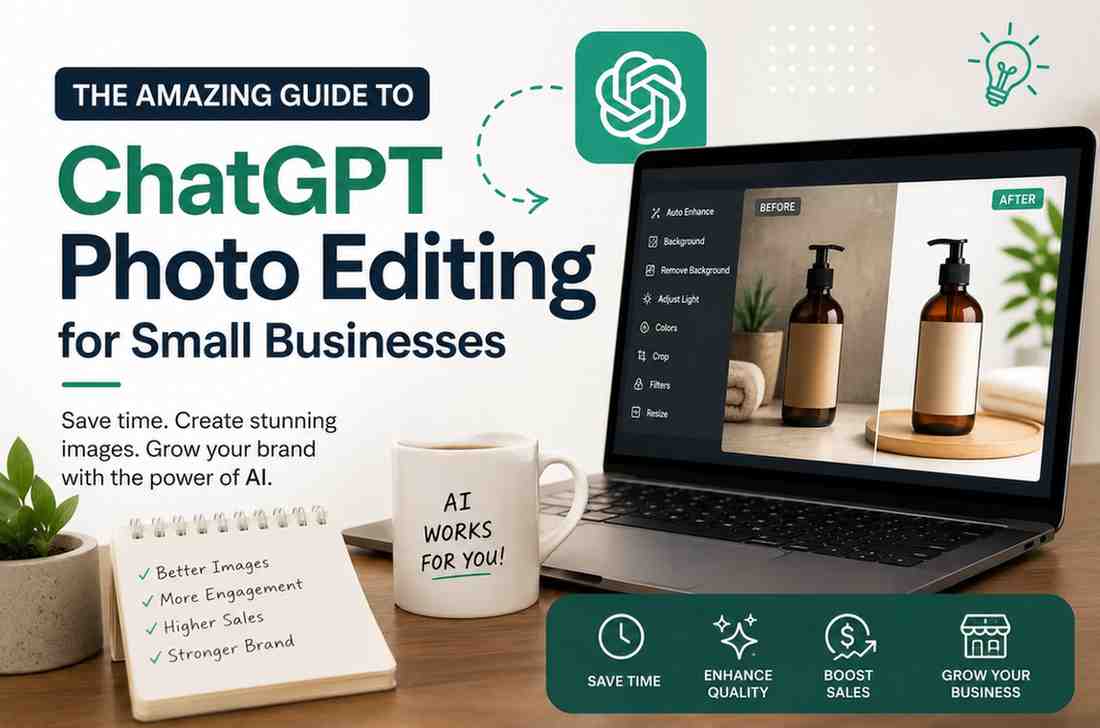
Let us break down how this process works. Chatgpt photo editing uses smart computer programs to change or create pictures. You do not click on tiny buttons or draw lines with a mouse. Instead, you write a simple text message. You tell the computer what you want to see, and it makes it happen.
This system works because OpenAI put a tool called DALL-E inside ChatGPT. DALL-E is a powerful engine that understands both words and images. When you upload a photo, ChatGPT looks at the picture. It understands the shapes, colors, and objects in your photo. According to data from Statista, millions of businesses now use AI tools to speed up their creative work.
When you give a command, the AI changes the photo based on your words. We call this process prompting. It is just like talking to a human designer. You can say, “Please change the red apple to a green apple.” The AI will rewrite the pixels to match your request. This is the core of chatgpt photo editing. It makes design work easy for everyone.
The Practical Benefits of ChatGPT Photo Editing
For many years, business owners had to use programs like Photoshop. These programs are great, but they are hard to use. They require hours of video lessons to learn the basics. They also cost a lot of money every month.
With chatgpt photo editing, you bypass all those hurdles. The tool is ready to use as soon as you open it. The cost is low, and the results are almost instant. You can test ten different ideas in the time it takes to open old software.
Let us look at a quick comparison to see how AI compares to old tools:
| Feature | Traditional Editing Software | ChatGPT Photo Editing |
|---|---|---|
| Learning Curve | Weeks or months of study | A few minutes of practice |
| Average Cost | High monthly fees | Low flat rate or free tier |
| Editing Speed | Hours of manual work | Less than one minute |
| Skill Level Needed | Professional designer | Basic computer user |
As the table shows, chatgpt photo editing is the clear winner for busy owners. It lets you focus on running your business instead of fighting with complex software. You save money and time while getting high-quality images.
Step-by-Step Guide to ChatGPT Photo Editing
Using this tool is very simple once you know the steps. First, you need a ChatGPT Plus or Enterprise account. These paid accounts give you access to the image tools. Once you log in, look for the image upload button.
Next, upload the photo you want to change. Be sure the photo is clear. High-contrast photos work best for AI tools. After you upload, you must write your text prompt. This is the key step in chatgpt photo editing.
Writing a good prompt is the secret to great results. Tell the AI exactly what you want to change. If you want to add an object, specify its color and position. If you want to remove an object, name it clearly. Click send and wait for the AI to process your request.
In about thirty seconds, ChatGPT will show you the new image. If it is not perfect, you can ask for changes. Just tell the AI what to fix in the next message. You can repeat this process until you love the final look.
Scenario A: E-Commerce Product Photos
Let us look at a real-world example. Imagine you sell handmade candles online. You took a photo of your candle on your kitchen table. The lighting is dark, and the background has kitchen clutter. You want a bright, clean look for your store.
You can use chatgpt photo editing to fix this. Upload your candle photo. Type a prompt like: “Keep the candle exactly as it is. Replace the background with a clean white marble countertop. Add soft, warm morning sunlight coming from the side.”
The AI will separate your candle from the clutter. It will place the candle on a beautiful marble surface with perfect lighting. Your product now looks like it was shot in a professional studio.
Scenario B: Lifestyle Brand Graphics
Now, let us say you run a local fitness gym. You have a photo of a person lifting weights in front of a plain grey wall. It looks boring and does not inspire people to join your gym.
With chatgpt photo editing, you can change the mood. Upload the gym photo. Write: “Keep the person lifting weights. Change the grey wall to a modern, high-tech gym background with bright neon lights and motivational posters.”
The AI will place the person in a exciting new setting. This dynamic image will grab attention on Instagram or Facebook. It shows the energy of your brand without a costly photo shoot.
Scenario C: Seasonal Ad Banners
Small businesses must change their marketing for holidays. If it is Christmas, you want festive images. If it is summer, you want bright, sunny themes.
You can use chatgpt photo editing to update your existing banners. Take your standard business banner. Upload it and say: “Add subtle holiday decorations around the border of this image, like pine branches and soft gold lights. Keep the central text and logo untouched.”
The AI will add the holiday cheer in seconds. You do not have to recreate the banner from scratch. This makes seasonal marketing fast and easy.
Advanced Tips for Stunning Visuals
To get the absolute best results, you need to know a few tricks. The AI reacts to specific words very well. Here is a list of best practices for chatgpt photo editing:
- Use descriptive lighting words like “golden hour,” “soft studio light,” or “natural sunlight.”
- Specify the focus of the image to keep your main product sharp while blurring the background.
- Keep your brand colors in mind and tell the AI to use your specific brand color palette.
- Avoid busy backgrounds that distract from your main product. Simple styles work best.
- Do not ask for text inside the image. AI struggles with spelling, so add text later with a simple app.
By using these simple rules, you will get much better results. Your graphics will look clean, professional, and ready for your website. Your customers will notice the high quality of your brand.
Common Mistakes to Avoid with AI Editing
Even though AI is amazing, it can still make mistakes. You must watch out for these common issues when doing chatgpt photo editing.
One big mistake is trying to change too many things at once. If you ask the AI to change the background, the clothing of a person, and the time of day all in one prompt, it might get confused. It is much better to make changes one step at a time. Be patient with the process.
Another common issue is ignoring the hands and faces in your images. Sometimes, the AI can warp human features. It might add an extra finger or make an eye look strange. Always zoom in and look closely at any people in your photos before you use them. This keeps your brand looking professional.
Finally, do not rely on AI for your core brand logo. A logo needs to be a clean file that can scale to any size. AI is great for photos, but a human designer is still best for your official company logo. Use the right tool for the right job.
How to Use Your New Images to Boost Sales
Once you have your clean images, it is time to use them. You can place them on your website to make your product pages look great. You can also use them in your social media marketing.
According to Wikipedia, visual marketing has been key to business success since the early days of print media. Today, the internet makes visuals even more important. A good image can stop someone from scrolling past your ad on Facebook. It can make them read your offer.
You can also use these images in your email campaigns. A beautiful header image can increase the number of people who click your links. Every high-quality image you use builds trust with your audience. This trust leads to more sales over time.
Nextgen Web Studio Can Help You Grow
Using AI is a great first step. But to truly win online, you need a great website to host those beautiful photos. That is where our team at Nextgen Web Studio comes in. We understand how to combine great design with modern tools.
We build fast, secure, and beautiful websites for small businesses. We know how to take your new images from chatgpt photo editing and place them perfectly on your pages. We make sure your site loads quickly so you do not lose customers. Our layouts are clean and easy for your visitors to use.
If you want to combine AI tools with a powerful online presence, we are here to help. We can guide you through the process of modernizing your business. Let us do the heavy lifting so you can focus on what you do best. Contact Nextgen Web Studio today to start your digital growth journey.
Frequently Asked Questions
Is chatgpt photo editing legal for business use?
Yes, you can generally use these images for commercial purposes. However, always check the latest terms of service from OpenAI. Make sure your images do not copy trademarked brands or logos of other companies.
Do I need to pay to use chatgpt photo editing?
You need a paid ChatGPT Plus subscription to use the DALL-E image tool. The cost is quite low compared to hiring a designer. The value you get from the tool is well worth the small monthly fee.
Can chatgpt photo editing fix blurry pictures?
ChatGPT can make images look better, but it cannot perfectly fix a blurry photo. It is best to start with a clear, high-resolution photo. This gives the AI the best starting point to build upon.
Does chatgpt photo editing replace a real designer?
While AI is great for quick daily tasks, it does not replace a professional designer for big projects. For a full brand redesign, you should still hire experts. Our team at Nextgen Web Studio can help you with those larger design needs.
Last updated: August 11, 2026
[Author Bio: Add author name, credentials, and relevant expertise here before publishing.]
Have questions or ready to get started? Get in touch with our team.