Table of Contents
You can now build a custom AI assistant for your business in under ten minutes without writing any code. This powerful tool is called a gpt builder, and it is changing how small companies operate every single day.
Imagine having a virtual helper that knows your products inside and out. This helper writes just like your brand, answers customer questions instantly, and never takes a day off. It sounds like a costly dream, but a modern gpt builder makes this a reality for any budget.
Many small business owners feel overwhelmed by new technology. You might worry that artificial intelligence (AI) is too hard to learn or too costly to set up. However, the modern gpt builder solves this problem by using simple, conversational English. You do not need a degree in computer science to make it work. Instead, you just talk to the tool, tell it what you need, and let it build the assistant for you.
In this guide, we will show you exactly how to use a gpt builder to save time and boost your profits. We will look at real business examples, step-by-step setup methods, and practical tips. Let us dive in and explore how this amazing technology can help your business grow.
What is a GPT Builder and How Does It Work?
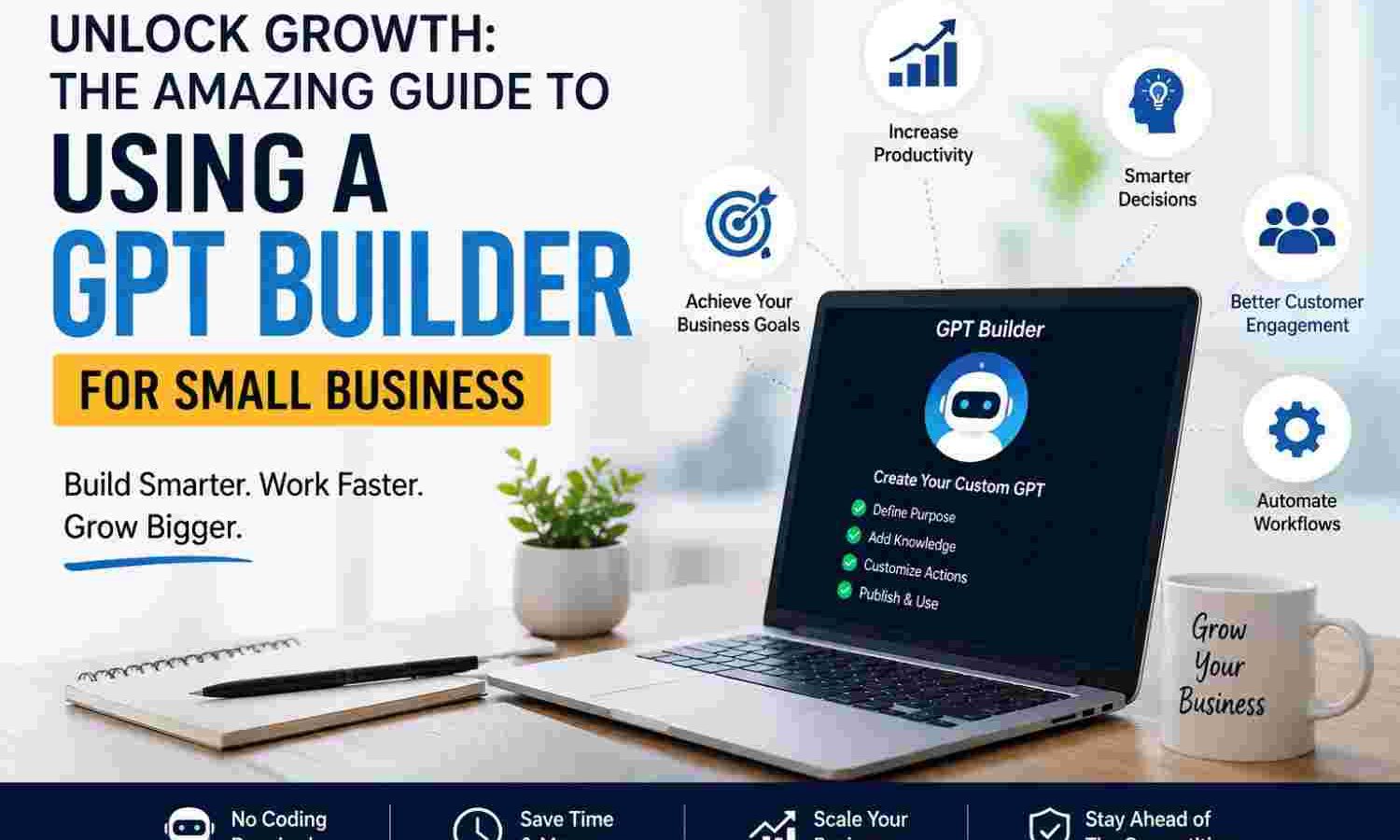
A gpt builder is a user-friendly platform created by OpenAI. It lets anyone make a custom version of ChatGPT. Think of it as a template creator for artificial intelligence. You can train this AI assistant to do very specific tasks for your unique business.
To understand how a gpt builder works, think of hiring a new office assistant. On their first day, you would give them a training manual. You would tell them how to speak to customers and what tasks to prioritize. A gpt builder does the exact same thing but in a digital format.
You build this assistant using three main parts:
- Instructions: These are the rules you write. They tell the AI how to behave, what tone to use, and what to avoid.
- Knowledge: This is where you upload files. You can upload PDFs, spreadsheets, or text files filled with your company data.
- Capabilities: These are special tools you turn on. They let the AI search the web, create images, or run complex code.
By combining these three parts, the gpt builder creates a highly focused helper. It will not give generic answers. Instead, it will use your specific data to solve your specific business problems.
Real-World Ways to Use a GPT Builder in Your Business
You might wonder how a gpt builder fits into your daily routine. The truth is that you can use it in almost every department. Let us look at some practical ways small businesses use this technology today.
Automated Customer Support
First, you can use a gpt builder to handle customer support. If you run an online shop, customers always ask the same questions. They want to know your shipping times, return policies, and product details. You can upload your FAQ document to a gpt builder. The AI can then answer customer emails instantly. It will always sound polite and accurate.
For example, a local bakery can train an assistant with their allergen menu. If a customer asks if the bread has nuts, the AI checks the file and answers instantly. This keeps your customers happy and saves your staff from answering the same questions all day.
Staff Training and Employee Onboarding
Second, a gpt builder is great for onboarding new employees. When you hire someone, they have many questions. They need to know how to log in to systems, request time off, or find client files. You can create an internal gpt builder that acts as an HR helper. New hires can ask it anything, saving your managers hours of time.
A plumbing business can upload their safety manuals and invoicing rules. When a new plumber is in the field, they can ask the AI how to handle a specific pipe issue. They get the right answer in seconds without calling the boss.
Fast and Creative Content Creation
Third, you can use a gpt builder to create marketing content. Writing blog posts, social media updates, and newsletters takes time. You can feed your past successful posts into the gpt builder. The AI will learn your unique brand voice. Then, you can ask it to draft new content in seconds. It will sound just like you, but it takes a fraction of the time.
A real estate agent can use this tool to write property listings. They upload past listings that sold quickly. The AI learns what words work best. When the agent gets a new house, they enter the basic facts, and the AI writes an amazing description.
Lead Generation and Sales Support
Fourth, a gpt builder helps with lead generation. You can put the custom AI on your website. It can chat with visitors, ask them about their needs, and collect their email addresses. This turns casual web traffic into warm leads while you sleep.
A fitness coach can build a quiz assistant. The AI asks visitors about their fitness goals. At the end, it offers a free workout plan in exchange for their email address. This automated system builds your email list on autopilot.
The Financial Impact of AI Automation
Investing your time in a gpt builder is not just about staying trendy. It is about improving your bottom line. Small businesses that adopt AI tools see rapid changes in their productivity and cost savings.
According to data from Statista, companies around the world are saving massive amounts of time by automating daily tasks. These savings allow small teams to compete with much larger corporations. When you do not have to spend hours on repetitive tasks, you can focus on growing your sales.
According to historical tech reviews on Wikipedia, automation tools always lower the barrier to entry for small brands. Let us look at some key statistics regarding AI in the workplace:
| Business Metric | Without AI Tools | With AI Custom Tools | Overall Improvement |
|---|---|---|---|
| Customer Response Time | 4 to 24 Hours | Under 1 Minute | 99% Faster Response |
| Weekly Content Creation Time | 8 Hours | 1 Hour | 87% Time Saved |
| New Employee Onboarding Time | 2 Weeks | 3 Days | 78% Faster Integration |
| Lead Capture Cost | High (Manual Labor) | Very Low (Automated) | 60% Cost Reduction |
As you can see, the data supports the shift to AI. Using a gpt builder allows you to capture these benefits without hiring an expensive developer. It democratizes technology, giving small businesses the same power as global brands.
Step-by-Step Guide to Creating Your First Custom AI Assistant
Now that you know what a gpt builder can do, let us build one. The process is very simple. Follow these easy steps to get your first custom assistant up and running today.
Step 1: Open the Creation Interface
First, log in to your ChatGPT Plus or Enterprise account. Look for the “Explore GPTs” button on the left sidebar. Click on “Create” in the top right corner. This action opens the gpt builder workspace. You will see a split screen with the builder on the left and the preview on the right.
Step 2: Talk to the Builder
Second, talk to the tool in plain English. The left side is where you chat. The tool will ask you what you want to make. You can write: “I want to build a helper that drafts friendly emails to my clients.” The gpt builder will understand you and start setting up the backend rules.
Step 3: Name and Design Your Assistant
Third, the gpt builder will suggest a name. It might suggest “Email Buddy” or “Inbox Expert.” You can accept this name or suggest your own. Next, it will generate a profile picture using AI. If you like it, say yes. If you want something else, just ask the builder to change it.
Step 4: Upload Your Business Files
Fourth, click on the “Configure” tab at the top left. This is where you add your business brain. Look for the “Knowledge” section and click “Upload files.” Upload your price sheets, service lists, or brand style guides. The AI will use this exact data to answer questions later.
Step 5: Test and Refine Your Assistant
Fifth, test your new assistant in the preview panel on the right. Ask it some tough questions. See how it responds. If it makes a mistake, go back to the left side and tell the gpt builder to fix it. You might say: “Make sure you always tell customers that shipping takes three days.” The builder will update the rules instantly.
Step 6: Publish and Share Your Tool
Finally, click the “Publish” button in the top right. You can choose to keep it private, share it with your team, or make it public. Your custom tool is now ready to use! You can share the link with your employees or embed the tool on your site.
Best Practices for Training Your Custom Assistant
To get the most out of your gpt builder, you must train it correctly. A few simple tweaks can turn a decent assistant into an amazing one. Follow these key rules for the best results.
Write Clear and Precise Rules
First, be very specific with your instructions. Avoid vague terms like “be helpful.” Instead, say: “Be helpful by suggesting our three top services in every response.” Tell the gpt builder exactly what to say and what to avoid. If you do not want it to discuss your competitors, write that down clearly.
Keep Your Knowledge Files Clean
Second, keep your uploaded files clean. Do not upload outdated PDF files or messy spreadsheets. Clean up your data before you give it to the gpt builder. If you give it bad information, it will give your customers bad answers. Keep your text simple and easy to read.
Update Your Assistant Regularly
Third, update your assistant regularly. Your business changes, and your AI should too. When you change your prices or launch a new product, update the files in your gpt builder. This ensures your assistant always gives accurate information. Make it a habit to check the tool once a month.
Keep Sensitive Data Safe
Fourth, monitor your data privacy. Never upload sensitive personal data, like customer social security numbers or private passwords. Keep your uploads focused on public business information and general guides. This protects your customers and keeps your business safe.
How Nextgen Can Help You Scale Your AI Strategy
Building your first tool with a gpt builder is a great start. However, as your business grows, you might want more advanced solutions. You might want to connect your AI directly to your CRM system, your inventory database, or your custom mobile app.
This is where the team at Nextgen comes in. At Nextgen, we help small businesses integrate advanced AI into their daily systems. We take the foundation you build with a gpt builder and turn it into a custom software powerhouse.
We know that you do not have time to learn complex APIs or write advanced code. Our experts can handle the technical work for you. We design custom web systems, automate workflows, and build advanced AI tools. This lets you focus on running your business while we handle the digital heavy lifting. Let us help you turn your smart ideas into real, scalable systems.
Frequently Asked Questions
Do I need to know how to code to use a gpt builder?
No, you do not need any coding skills to use a gpt builder. The system uses plain English. You talk to the builder just like you would talk to a human developer, and it writes the code behind the scenes.
Is the data I upload to a gpt builder safe?
Yes, your data is safe if you manage your settings correctly. OpenAI allows you to opt out of data sharing. This means your private business files will not be used to train future public AI models.
Can I share my custom assistant with my customers?
Yes, you can share your assistant. You can create a public link that anyone can access. You can also embed the chatbot directly on your website so visitors can interact with it.
How much does it cost to use a gpt builder?
To use the gpt builder, you need a ChatGPT Plus or ChatGPT Enterprise subscription. The Plus plan currently costs $20 per month and gives you full access to create and use custom assistants.
Can a gpt builder connect to my other business software?
Yes, it can. You can use the “Actions” setting inside the builder to connect to external systems. This requires APIs, which are digital bridges. If you need help setting up these connections, the team at Nextgen can do it for you easily.
Last updated: August 11, 2026
[Author Bio: Add author name, credentials, and relevant expertise here before publishing.]
Have questions or ready to get started? Get in touch with our team.